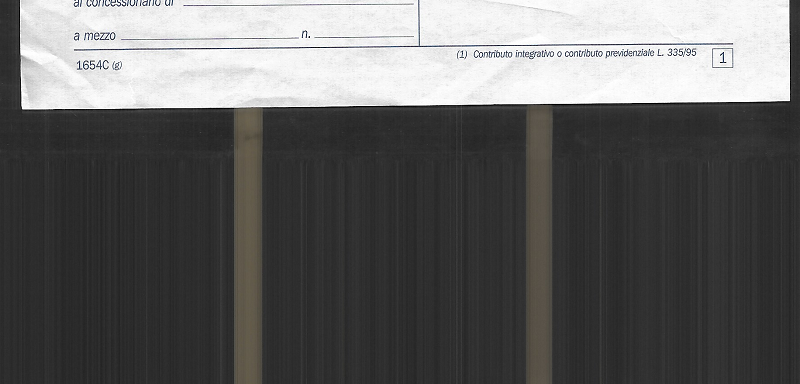
I have a Brother printer. Each time I scan a document, it produces this black and whitish pattern, that looks like a barcode.
However, this is really annoying if while compiling your Italian tax declaration you’d scan 60 documents and each of them has a very long area with this pattern.
I’ve asked to LLM to produce a script that given a reference pattern, it deletes for each image and clean the images.
First, we need to isolate the pattern, therefore we make a copy of any picture, isolate the pattern and save it with a name like pattern.png
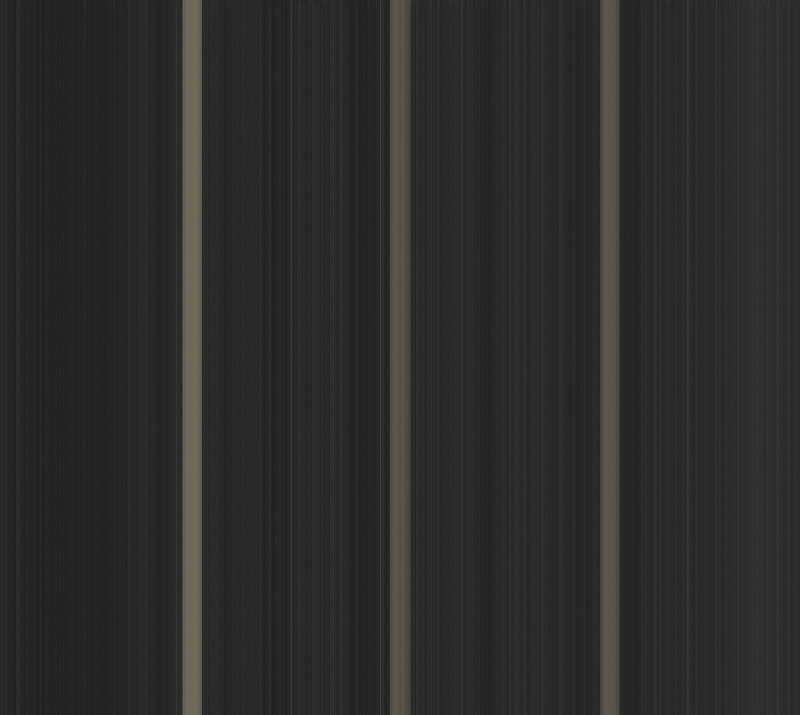
Then, we install the required dependencies:
sudo apt update
sudo apt install python3 python3-opencv
We then save into a file named subtract_pattern.py this script:
#!/usr/bin/env python3
from pathlib import Path
import cv2
import numpy as np
import sys

EXTS = {".jpg", ".jpeg", ".png", ".tif", ".tiff", ".bmp"}

def resize_to(img, shape):
    return cv2.resize(img, (shape[1], shape[0]), interpolation=cv2.INTER_AREA)

def find_crop_from_pattern(img, pattern, diff_thr=18, min_run=8):
    if img.shape != pattern.shape:
        pattern = resize_to(pattern, img.shape)

    diff = cv2.absdiff(img, pattern)
    diff = cv2.GaussianBlur(diff, (5, 5), 0)

    # Collassa in valori per riga/colonna
    row_score = diff.mean(axis=1)
    col_score = diff.mean(axis=0)

    # Cerca la zona "diversa dal pattern"
    row_mask = row_score > diff_thr
    col_mask = col_score > diff_thr

    def interval_from_mask(mask):
        idx = np.where(mask)[0]
        if len(idx) == 0:
            return None
        # unisci regioni vicine
        runs = []
        s = idx[0]
        prev = idx[0]
        for i in idx[1:]:
            if i - prev > 1:
                runs.append((s, prev))
                s = i
            prev = i
        runs.append((s, prev))
        # scegli intervallo principale
        runs = [r for r in runs if (r[1] - r[0] + 1) >= min_run]
        if not runs:
            return None
        return max(runs, key=lambda t: t[1] - t[0])

    y_int = interval_from_mask(row_mask)
    x_int = interval_from_mask(col_mask)

    if y_int is None or x_int is None:
        return None

    y1, y2 = y_int[0], y_int[1] + 1
    x1, x2 = x_int[0], x_int[1] + 1
    return x1, y1, x2, y2

def main():
    if len(sys.argv) < 3:
        print("Uso: python3 crop_by_pattern.py <pattern_ref> <input_dir>")
        sys.exit(1)

    pattern_path = Path(sys.argv[1])
    input_dir = Path(sys.argv[2])
    out_dir = Path("output_crop")
    out_dir.mkdir(exist_ok=True)

    pattern = cv2.imread(str(pattern_path), cv2.IMREAD_GRAYSCALE)
    if pattern is None:
        print("Impossibile leggere il pattern.")
        sys.exit(1)

    files = sorted([p for p in input_dir.iterdir() if p.suffix.lower() in EXTS])
    if not files:
        print("Nessuna immagine trovata.")
        sys.exit(1)

    for p in files:
        img = cv2.imread(str(p), cv2.IMREAD_GRAYSCALE)
        if img is None:
            continue

        bbox = find_crop_from_pattern(img, pattern)
        if bbox is None:
            print(f"{p.name}: crop non trovato, salto")
            continue

        x1, y1, x2, y2 = bbox
        cropped = img[y1:y2, x1:x2]
        cv2.imwrite(str(out_dir / p.name), cropped)
        print(f"{p.name}: crop {x1},{y1} -> {x2},{y2}")

if __name__ == "__main__":
    main()
Finally we can run it:
python3 subtract_pattern.py pattern.png .
# assuming that script is in the same directory and pattern is named pattern.png
And… voilà! In the output_crop folder we have all of our documents without the ugly area!~
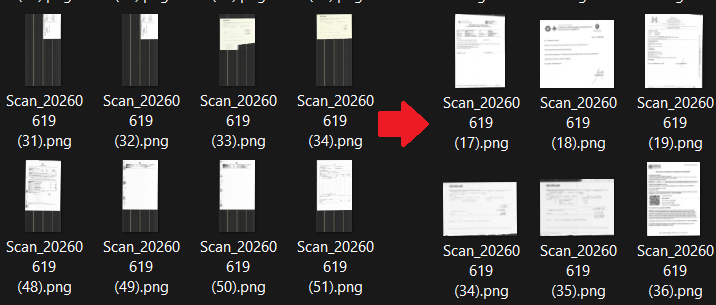
Here’s what a document looks like:
